Professionally crafted templates
Choose from hundreds of professionally crafted templates in more than 20 different categories. Every template is fully customizable to truly make it your own.
Discover all templatesThe nomeo webbuilder is an intuitive tool to build your own unique, high quality website without knowing how to code. Drag and drop any element or feature you want, customise it to your needs and publish your website to live. The best part? It's included for free with your domain name!
| Webbuilder nanosite | Webbuilder maxisite | |
|---|---|---|
| Price | Included with your domain name | € 5.00/month |
| Number of pages | Up to 3 pages | Unlimited |
| Templates | 20+ templates | 200+ templates |
| Web space | Up to 50 photos | Up to 500 photos |
| Online store |  |  |
| Order | Get started | Get started |
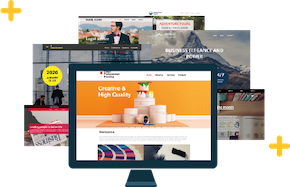
Choose from hundreds of professionally crafted templates in more than 20 different categories. Every template is fully customizable to truly make it your own.
Discover all templates
Our webbuilder creates a mobile-friendly version of your site. Visitors using a mobile device will see an optimised version automatically.

Do you want to launch your own online store? Our webbuilder offers several easy-to-use plugins, enabling you to set up your store in a matter of minutes.
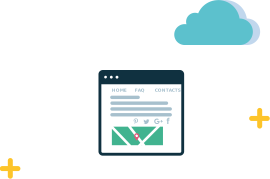
Contact forms, banners and social media like buttons are only a few examples of the available plugins in the webbuilder. Simply choose a plugin, drag it to the place you like and you're ready to go.
Discover all plug-ins
Build up to 3 unique pages for free. The nanosite webbuilder is included free of charge with every domain name registered with nomeo. Get started right now!
Pick a template to start building your website. There are hundreds of professional templates for you to choose from.
Add new elements, remove others you don't need and select the plugins you like. All you have to do is drag them to the right place. Sounds easy? It is that easy.
Finished customising the layout of your website? Add text, logos and photos to make your pages truly unique.
When you're done editing, all you have to do is publish your website. Your web pages are optimised for mobile devices automatically.
Get started