I already have a domain name
You're already well on your way.
Follow these steps to quickly set up your own website:
1. Log in to the customer portal with the email address and password you selected when registering your domain name.
2. In the overview, click on 'Active domains' and select the domain name you want to activate the web builder on.

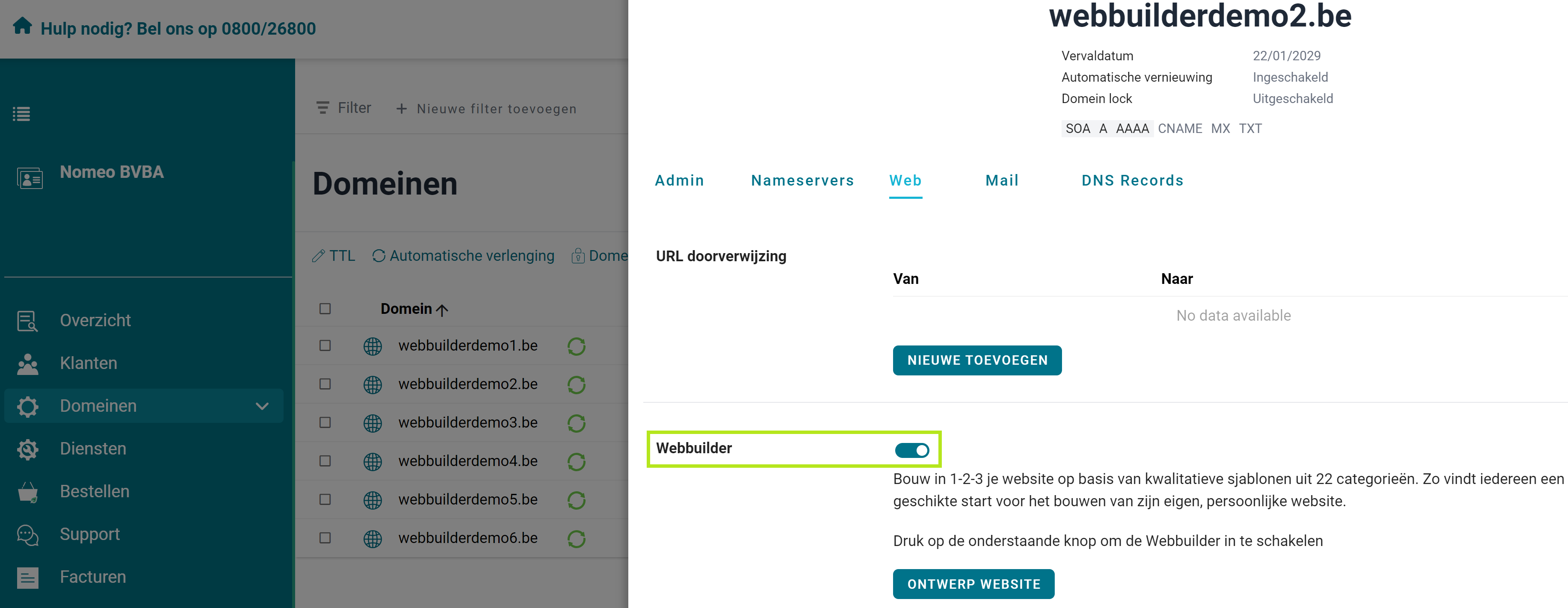
3. Go to the 'Web' tab and scroll down until you reach 'Webbuilder'. Toggle the switch next to it to 'on'.
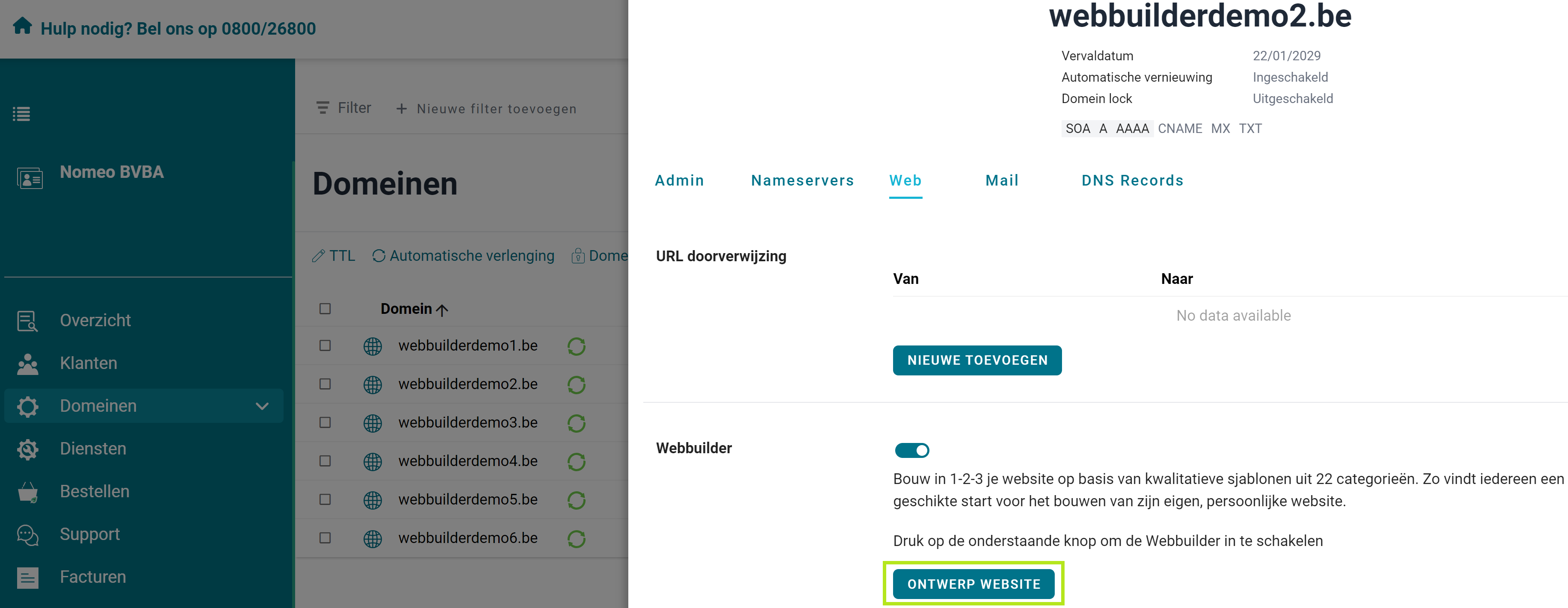
4. Click on 'Design website' to open the web builder. You can start building right away.
I don't have a domain name yet
Registering a domain name is the first step towards your own website. Check if your preferred domain name is still available here.
Check if your domain name is still available here.
Is your domain name registered? Below you'll find out how to start with our web builder.
1. Log in to the customer portal with the email address and password you selected when registering your domain name.
2. In the overview, click on 'Active domains' and select the domain name you want to activate the web builder on.
3. Go to the 'Web' tab and scroll down until you reach 'Webbuilder'. Toggle the switch next to it to 'on'.
4. Click on 'Design website' to open the web builder. You can start building right away.
 I want to register a domain name Get started
  I already have a domain name Get started