Collaborate online with Microsoft 365

  • Very large 50 GB mailbox
  • Free setup by us
  • Always available, on any device
Order Microsoft 365

Automatic Backups for Microsoft 365

Microsoft 365 backups

Microsoft 365 is a complete platform for various applications important to your business. Microsoft provides a secure infrastructure that guarantees uptime for all users.


Unfortunately, Microsoft 365 is limited when it comes to backups of your emails, calendar, contacts, and files in Teams and OneDrive. After 30 days, deleted documents can no longer be retrieved. Our Microsoft 365 backup service solves this issue. We take a backup of your data in an external location, so you can restore important files even after those 30 days.


Microsoft 365 Backup Packages

Backup for Exchange Online

€ 3,50/month
per user

Contact us
  • Backup of all emails, calendar, contacts, tasks, and more
    (Restore files up to 24 months after deletion)
  • Optional: Keep unlimited items (+ € 1.5)

Backup for Exchange,
OneDrive, and Teams

€ 10,00/month
per user

Contact us
  • Backup of all emails, calendar, contacts, tasks, and more
    (Restore files up to 24 months after deletion)
  • Backup of: Microsoft OneDrive, Teams, and SharePoint
    (Restore files up to 12 months after deletion)
  • Optional: Keep unlimited items for Exchange Online and up to 36 months for Microsoft 365 services (+ €5)

What are the benefits of a Microsoft 365 backup?

Many businesses today work intensively with Microsoft 365. You can access documents at any time and from anywhere or collaborate with colleagues. Microsoft ensures a secure infrastructure so that Teams, OneDrive, and other services are always available.

Backups of important emails, contacts, and files are left up to the user. If you accidentally delete an important email or document, they are permanently gone after 30 days. If you find out too late, that data is irrevocably lost. The nomeo backup service for Microsoft 365 ensures that you can restore files and emails even after this period.

The benefits of Microsoft 365 backups:

  • Backup in an external data center in Belgium

  • Proven Veeam technology for secure backups

  • Backup period of 12 months to unlimited

  • Scalable service: from one to thousands of users

  • Worry-free work: our experts maintain the infrastructure

  • 24/7 support: we are available even outside office hours

The benefits of Microsoft 365 backups
Automatic backups

Automatic Backups of Your Data

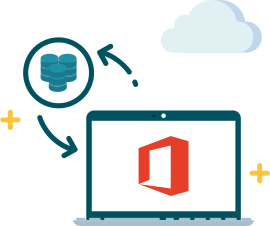
Backups of all Microsoft 365 data are automatically transferred between the Microsoft data center and nomeo's. Even messages and documents that are not yet visible on your computer are backed up. Microsoft 365 users do not need to install anything on their device. When a backup is made, users don't notice it. There is no speed loss, and files are always available.

Which data is backed up?

  • Mailboxes (emails, contacts, calendar, tasks, and more)
  • Shared mailboxes
  • Public folders
  • All files in Microsoft Teams, OneDrive, and SharePoint
Backup data

Full control over your Microsoft 365 data

You can monitor backups of Microsoft 365 via a self-service control panel. As an administrator of the Microsoft 365 package, you can schedule when a backup is taken. You also have control over restores, even for a single item.

X