I already have a domain name
You're already well on your way.
With these steps, you'll create your own professional mailbox in no time:
1. Log in to the customer portal with the email address and password you chose when registering your domain name.
2. In the overview, click on 'Active domain names' and select the domain name where you want to create a mailbox.

3. Go to the 'Mail' tab and scroll until you reach 'Nomeo mailbox'. There, click 'Add new'.
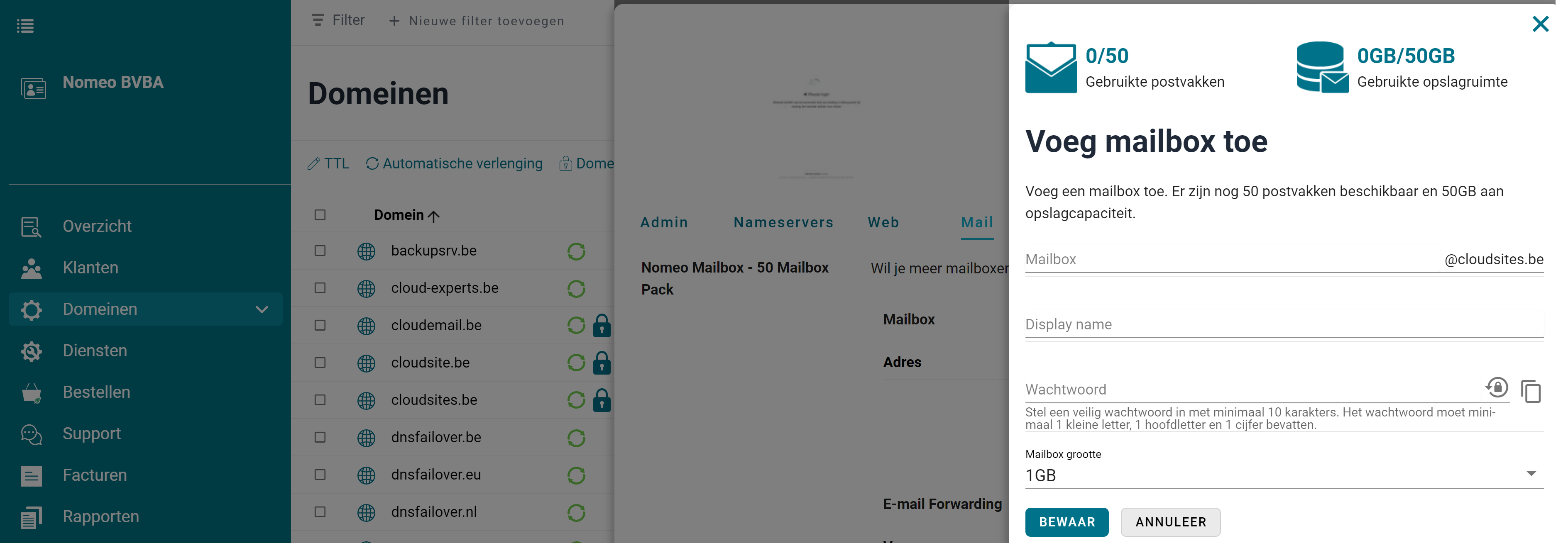
4. In the slide-over, enter the email address, name, and password for the mailbox. Click 'Save' to create your mailbox.
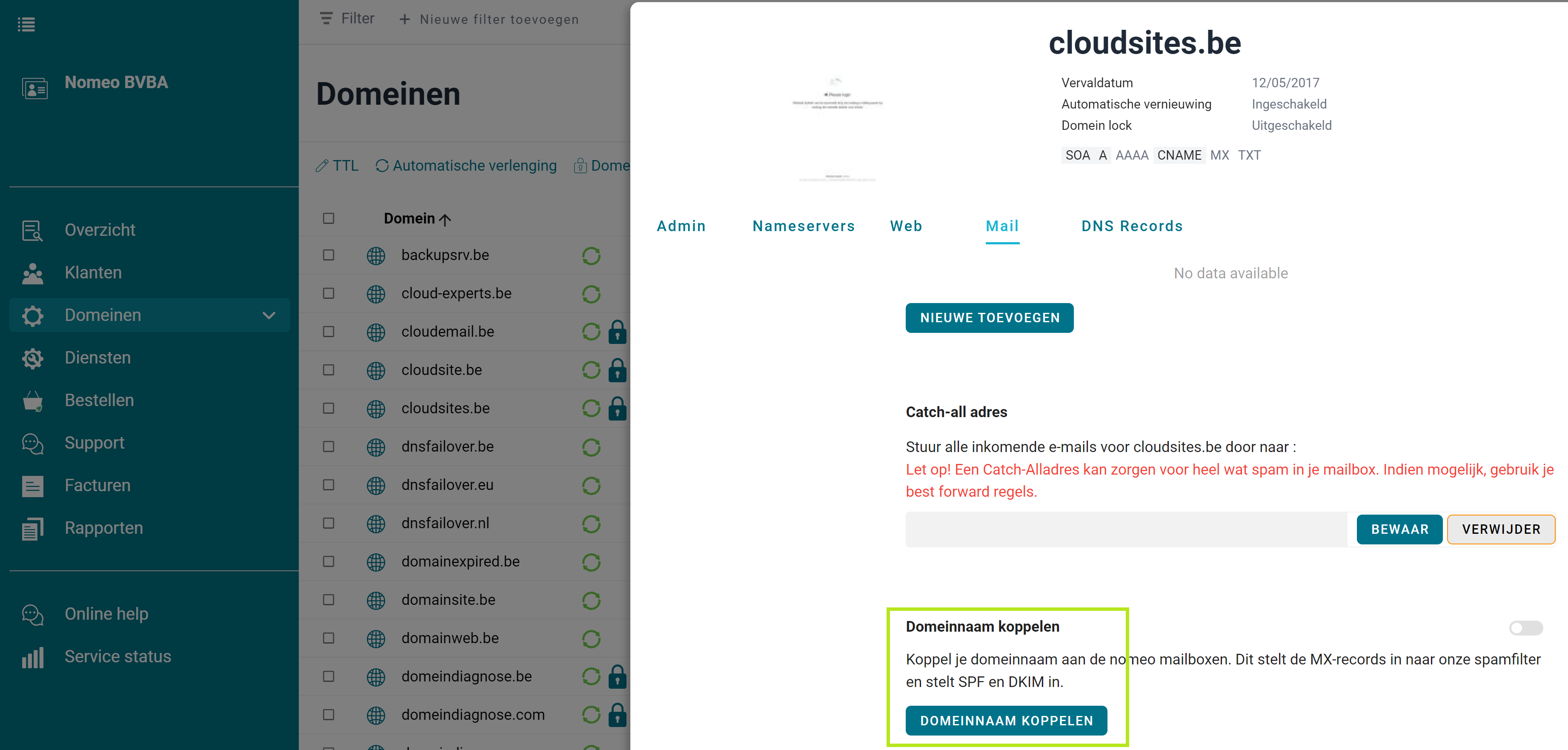
5. Scroll down to 'Link domain name'. Click the button to properly set up your domain name. Your mailbox is ready to use.
I don't have a domain name yet
Registering a domain name is the first step towards your own professional email address.
Check here if your domain name is still available.
Is your domain name already registered? Below you'll find how to activate your free mailbox.
1. Log in to the customer portal with the email address and password you chose when registering your domain name.
2. In the overview, click on 'Active domain names' and select the domain name where you want to create a mailbox.
3. Go to the 'Mail' tab and scroll until you reach 'Nomeo mailbox'. There, click 'Add new'.
4. In the slide-over, enter the email address, name, and password for the mailbox. Click 'Save' to create your mailbox.
5. Scroll down to 'Link domain name'. Click the button to properly set up your domain name. Your mailbox is ready to use.
 I want to register a domain name
  I already have a domain name